Breakpoints
Breakpoints let you pause a graph at a chosen node, review what happened so far, and decide how the experiment proceeds.
Setting a breakpoint. In the Library, open a graph's Configuration and switch the mode from Automatic to Interactive. Then click the breakpoint dot next to the node you want to pause at. Click it again to open a menu where you can edit its condition or remove it. In Automatic mode, breakpoints are ignored and the graph runs straight through.
Conditional breakpoints. By default, a breakpoint pauses the graph for all targets once the node finishes. To pause only when something specific happens, add a condition: a Python function that is evaluated for each target and returns True for the targets that should stop. The other targets continue.
def should_stop(node, target):
    return node.outcomes[target] == "failed"
The condition receives the node that just finished and the target (for example, a qubit name). It has read-only access to the node's name, parameters, outcomes, state_updates, run_summary, results, and machine, and runs in a restricted environment (no imports or file access). Conditions are validated when saved, and a breakpoint with a condition is shown with a diamond marker. If a condition raises an error while running, the graph pauses for that target.
When the graph pauses. The experiment is shown as Paused at breakpoint in the experiments table and in the experiment view. You can inspect the results and state updates of the nodes that ran so far, and the Breakpoints tab in the overview lists the breakpoints of the experiment.
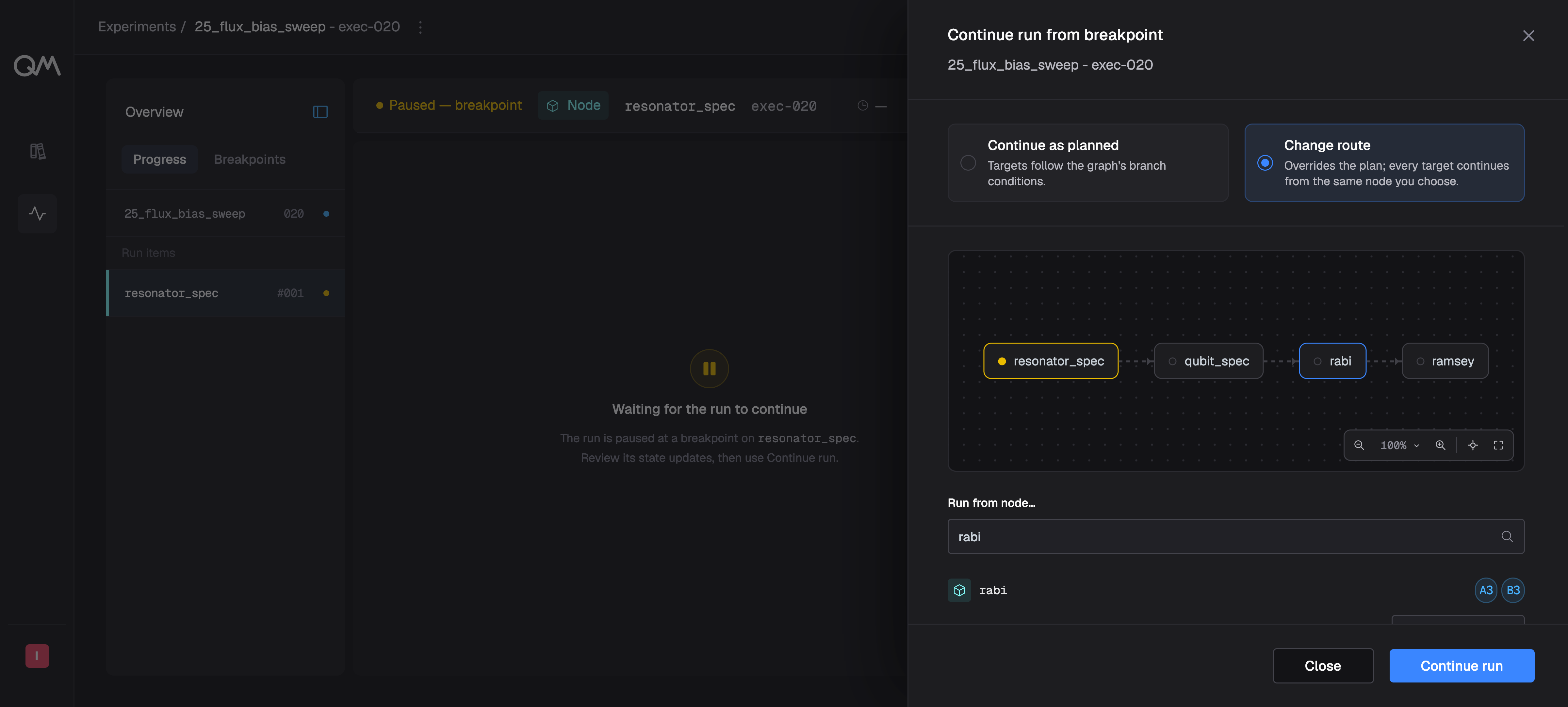
Continuing. Press Continue run to choose how to proceed:
- Continue as planned: targets follow the graph's branch conditions.
- Change route: override the plan. Every target continues from the same node that you choose, which can also be a node that was already executed.
You can also adjust the parameters of the nodes that will run next before continuing.
See Web App for the rest of the interface, and Calibration Graphs for how graph branches and conditions are defined.